
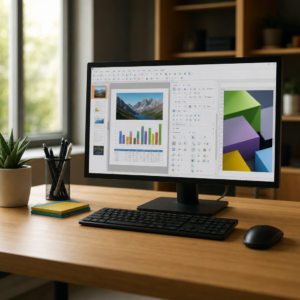
Free Office Software: Write, Budget, and Present Without a Subscription
You do not need a yearly office software bill to write a letter or track a budget. Free tools like LibreOffice and Google Docs handle everyday documents beautifully.

“Students, a subscription you forget about is a leak in your budget bucket. Free office software patches it right up.”
The free tools in my lesson plan
LibreOffice
A free, open-source office suite you download to your computer. It includes Writer (documents), Calc (spreadsheets), Impress (slideshows), and more. It works offline and can open and save common Microsoft Office files. Available for Windows, Mac, and Linux.
Google Docs, Sheets, and Slides
Free with a Google account and works in your web browser. Your files save automatically online, and sharing with family is easy.
Microsoft’s free web versions
Microsoft offers free web versions of Word, Excel, and PowerPoint with a free Microsoft account. They have fewer features than the paid apps, but plenty for everyday tasks.
Why I assign it to my students
- It is free. No monthly or yearly fees.
- Handles everyday jobs: letters, recipes, budgets, flyers, and slideshows.
- Works with common file types, so you can open files people send you.
- Pairs perfectly with our free budgeting printables and calculators.
How to start, step by step
- Decide where you want to work: on your computer (LibreOffice) or in your browser (Google or Microsoft web).
- Download LibreOffice from its official site, or sign in to your free Google or Microsoft account.
- Open a blank document or a free template.
- Save your work in a folder you will remember.
- Try a project: a monthly budget sheet is a great first assignment.
Professor Ima’s quick tips
- Only download software from the official website, never from pop-up ads.
- Need help learning? Free lessons on GCFGlobal cover Word, Excel, Google Docs, and more.
- Very fancy formatting may shift a little between programs, so check before printing important files.
- Students and teachers may qualify for free full versions of some paid software through their school.
Who it’s great for
- Households: budgets, recipes, and holiday letters for free.
- Students: essays and projects without buying software.
- Small sellers and crafters: inventory sheets and price lists.
- Retirees: family newsletters and photo slideshows.
Frequently asked questions
Is LibreOffice really free?
Yes. It is free, open-source software, for home and business use.
Can it open Word and Excel files?
Yes. It opens and saves common Microsoft Office formats.
Do I need the internet?
Not for LibreOffice once it is installed. Google and Microsoft web versions need internet.
Professor Ima B. Cheap
Features and free plans can change. Cheap101 is not affiliated with LibreOffice, The Document Foundation, Google, or Microsoft. More handouts: Free Stuff · Free Savings Tools